
NBC News: Breaking News & Live
NBC News Digital LLCNews & Magazines
4.422.58K Reviews
- Version
- Varies With Device
- Installs
- 5.00M
- Age Rating
- Everyone 10+
Screenshots
Our Review of NBC News: Breaking News & Live
 Analysis by Appyee
When I need a quick sense of what is happening without settling in for a long reading session, a news app can be useful—but only if it is comfortable to navigate and easy to fit around real life. NBC News: Breaking News & Live is a free news and magazines app from NBC News Digital LLC. It has a 4.6 average from around 104,000 ratings and more than five million installs, so it is already a familiar option for many readers. I found its appeal strongest when I wanted a mix of headlines, articles, and live coverage in one place, rather than a specialist source for a single subject.
Readable pages and a navigation style that stays familiar
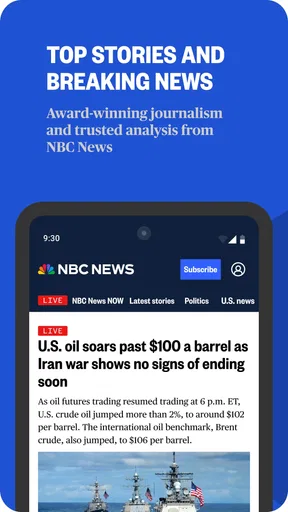
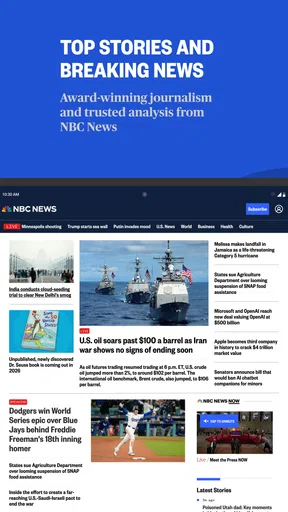
When you first open up the NBC News: Breaking News & Live app, you’re greeted with a clean and straightforward interface. It’s got this sharp, modern look that’s really easy on the eyes, which is a big win in my book. No one wants to navigate a cluttered app when you’re just trying to catch up on the news, right?
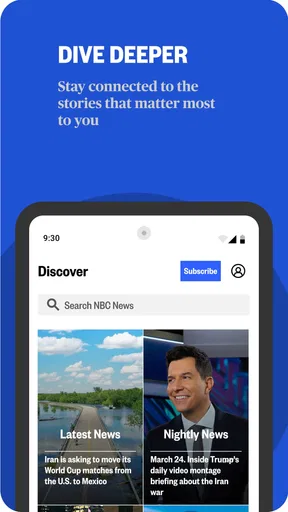
The app is super intuitive. You don’t need to be a tech guru to find your way around. Whether you’re looking for national news, politics, or even more niche topics like science or entertainment, it’s all laid out in a way that just makes sense. Plus, the search function is pretty robust, making it easy to dig up old stories or specific topics you’re interested in.
For me, that straightforward layout is most helpful when I have a narrow goal: check one topic, locate a story, then leave. Search can also make the app more useful over time, because it gives me a way to return to a subject rather than relying only on whatever happens to be prominent in the feed. If I’m following a developing issue, I can use that route to find related coverage instead of treating each headline as a separate item.
There is a trade-off to a feed organized around broad interests. Personalization can help surface subjects I care about, but it can also make a news routine feel narrower if I only open the topics I already follow. I’d use the customized feed as a shortcut, not as a complete picture of the day. A deliberate check of wider headlines is worthwhile when I want to avoid seeing only familiar subjects.
Live viewing, alerts, and choosing a useful rhythm
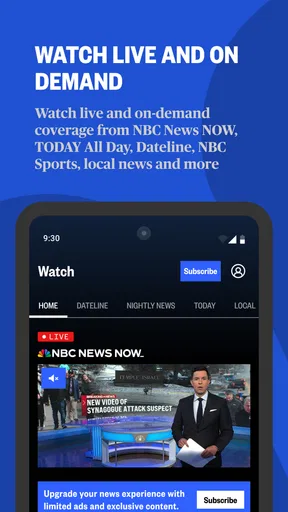
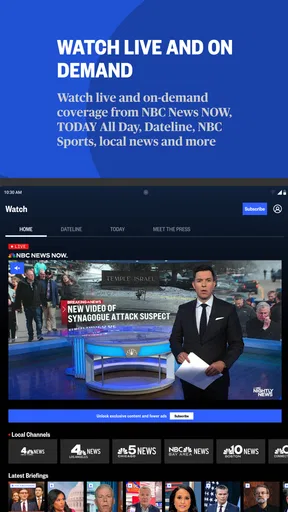
One of the standout features for me is the live streaming option. You can catch live news broadcasts right from your phone, so whether you’re commuting or just chilling at home, you won’t miss a beat. It’s like having a mini TV in your pocket, and who doesn’t love that?
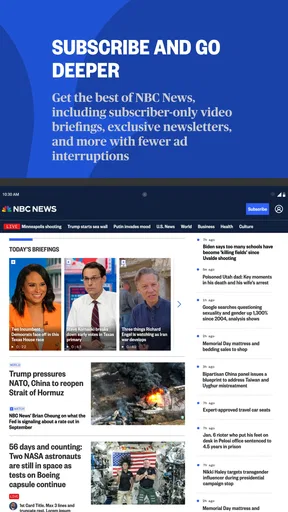
Another cool feature is the personalized news feed. The app lets you tailor your feed based on your interests, which means you get more of the news you care about and less of what you don’t. This customization feels like a breath of fresh air compared to the generic news blasts you often get elsewhere.
The notifications are also pretty smart. Instead of bombarding you with constant alerts, the app focuses on the big stuff - the kind of news that really matters. It’s like having a personal news curator, ensuring you’re always in the loop without being overwhelmed.
Alerts are useful when I cannot keep checking headlines, but I would still treat them as prompts to read more, not as a full account of a complicated story. If an alert catches my attention at a bad time, I can leave the deeper reading for later rather than trying to absorb an issue in a brief glance. That separation—notice now, understand later—makes notifications easier to live with.
A practical routine is to use alerts sparingly and let the feed handle planned check-ins. For example, I might glance at headlines over breakfast, save a longer piece for a break, then open live coverage only when watching is more useful than reading. That makes the app work as a flexible news companion instead of a stream that demands attention all day. People who prefer to control every notification themselves may find any editorial selection of major alerts less predictable than choosing individual topics in a more configurable news service.
Motor and sensory needs in everyday use
In terms of user experience, the app is pretty smooth. The articles load quickly, and I haven’t encountered any annoying ads popping up mid-read, which is a major plus. The videos stream without a hitch, and the quality is top-notch. One thing I noticed is the app’s dark mode option, which is perfect for late-night scrolling.
There’s also a neat feature for offline reading. You can save articles to read later, which is perfect for those times when you’re on a flight or in an area with spotty internet. It’s little things like this that make the app feel thoughtful and user-friendly.
Dark mode gives me a more comfortable option in dim surroundings, while saved articles reduce the pressure to keep a connection open during every reading session. Those are practical choices for different settings, though comfort is personal: dark screens do not suit everyone, and a long article still asks for sustained reading and scrolling. I would judge the app by whether its presentation works for my own eyes and hands, rather than assuming that one display setting solves every access need.
For motor access, the clearest advantage is that common tasks are easy to understand: browse, search, open a story, or save it for later. That does not make every interaction effortless for every person. Small touch targets, repeated scrolling, or operating a phone while moving can turn a simple task into a frustrating one. When I know I will have limited dexterity or attention, I would prepare by saving reading for a calmer moment instead of trying to navigate while walking or handling other tasks.
Sharing stories without turning reading into a debate
Sharing news with friends or on social media is super easy, thanks to the built-in sharing options. Whether you’re tweeting your take on the latest political drama or sharing a heartwarming story on Facebook, the app has got you covered with just a few taps.
Plus, there’s a comment section for discussing articles. It’s a nice touch for those who like to engage in a bit of debate or share their views with others. Just remember to keep it civil - it’s news, not a boxing ring!
Sharing is most useful when I want to point someone to a particular report, rather than forward a stream of headlines without context. Before passing along a story, I try to read beyond the title and consider whether the article itself supports the point I want to make. Comments can add a sense of public reaction, but I would not treat them as a substitute for reporting or as a reliable summary of what readers broadly think.
This is also where the app’s role differs from a social network. Social feeds are good at showing what friends are discussing, while a news app gives me a more direct path into articles and live coverage. If my main goal is conversation, social platforms may feel more natural; if I want to read the report before sharing it, this app is the better starting point.
Where it fits—and where another source may work better
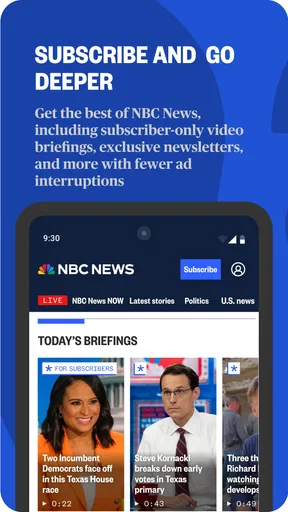
I would recommend the app to someone who wants a familiar general-news destination, appreciates live video, and likes having a personalized feed alongside broader coverage. It also suits people who move between quick headline checks and longer reading, especially if saving articles helps them manage an uneven schedule. The app is rated Everyone 10+, and its basic download is free, although in-app purchases are offered from $5.99 to $59.99 per item. I would check the purchase details before confirming anything, particularly if a child shares the device or payment setup.
For a realistic weekday example, I might check the main stories before leaving home, read an alert during a quiet break, and save an article when I have only enough time to scan its opening. Later, with a steadier connection and fewer distractions, I can return to the saved piece or switch to a live broadcast if watching is more convenient. The useful part is not doing all of that at once; it is having more than one way to catch up as the day changes.
Compared with a newspaper’s digital edition, this is a more flexible place to move among topics and live coverage rather than follow one publication’s issue-like reading rhythm. Compared with an all-in-one news aggregator, its identity is more closely tied to NBC’s reporting and presentation. That focus can make the experience feel coherent, but a reader who wants a broad range of publishers in one feed may prefer an aggregator. Someone looking for specialist depth on a narrow subject may also be better served by a dedicated publication or primary source.
The app is less suited to anyone who wants an entirely silent reading experience, dislikes video-led coverage, or expects a customizable feed to replace checking a wider range of reporting. Live video can be valuable, but it is not always the right format in a quiet room, on a limited connection, or when I need to read at my own pace. In those situations, articles and saved reading are the more practical options; if neither matches the way you consume news, a text-first publication may be a better fit.
How it works in different situations
There are a few small choices that improve the experience. I use search when I want to follow a subject rather than scroll through the home feed indefinitely, and I save an article as soon as I realize I do not have time to finish it. I also separate breaking alerts from deeper reading: an alert tells me that something may need attention, while the article is where I can spend time understanding the details. These habits help keep a busy news app from becoming another source of constant interruption.
On a commute, live coverage can be tempting, but it is not automatically the best option if I am walking, changing transport, or need to stay aware of my surroundings. In those moments, I would wait until I am seated and able to watch safely, or choose an article instead. At home, the reverse may be true: a live broadcast can be an easier way to follow a major event while doing a low-attention task. The right format depends on the situation, not simply on which feature looks most impressive.
Offline saving is particularly helpful when I know internet access may become unreliable, but I would prepare before leaving rather than assume every story will be available in the exact moment I need it. A useful habit is to save only the pieces I genuinely plan to read. That keeps the later-reading queue manageable and makes the feature a real aid instead of a pile of unfinished stories.
Readers deciding whether they can use the app comfortably should try the same task they expect to do most: open a headline, read a full article, switch to dark mode, or find a topic through search. That simple test is more informative than judging the interface from its first screen. People who rely on particular device-level accessibility settings should check how those settings interact with the app on their own phone, since comfort and usability can vary with individual needs and setup.
Limits to keep in mind before making it your main news source
Even a smooth interface cannot make breaking news complete at the moment it first appears. I treat early alerts as a reason to check the developing report, not as a final explanation. For sensitive or consequential stories, comparing coverage with another trusted outlet can help me separate a quick update from the fuller context I need. This is a sensible habit with any single-provider news app, including one that I enjoy using.
The app also asks me to accept its own editorial choices about what receives prominence and which alerts deserve attention. That can save time, but it means the front page is not a neutral inventory of every event. If I want to research an issue in depth, I use the app as one route into the topic and then seek out additional reporting or specialist material. If I simply want a fast, curated check-in, its focused approach is more convenient.
As a News & Magazines app, it has a 4.6 average across around 104,000 ratings and more than 22,000 reviews, with over five million installs. Those figures suggest that many people have made it part of their news routine, but popularity does not tell me whether its format is right for my reading habits. I would decide based on whether I value NBC’s coverage, use live video, and find the combination of alerts, search, and saved reading genuinely helpful.
A considered choice for readers with different needs
All in all, the NBC News: Breaking News & Live app is a solid choice for anyone looking to stay informed in a fast and efficient way. It’s user-friendly, packed with features, and makes consuming news a breeze. Whether you’re a news junkie or just someone who likes to stay updated on the go, this app is definitely worth checking out.
So, if you haven’t already, give it a whirl. You might just find it’s exactly what you’ve been missing in your daily routine. Happy news hunting!
Privacy and Permissions
See what permissions an app requests and how it handles your data.
- Location
- approximate location (network-based)
- Phone
- read phone status and identity
- Photos/Media/Files
- read the contents of your USB storage, modify or delete the contents of your USB storage
- Storage
- read the contents of your USB storage, modify or delete the contents of your USB storage
- Wi-Fi connection information
- view Wi-Fi connections
- Device ID & call information
- read phone status and identity
- Other
- view network connections, full network access, run at startup, reorder running apps, control vibration, prevent device from sleeping
Verdict
Strengths of NBC News: Breaking News & Live
- Timely notifications for breaking news.
- User-friendly interface with easy navigation.
- High-quality video streaming available.
- Customizable news categories.
- Offline reading mode supported.
Limitations of NBC News: Breaking News & Live
- Occasional ads can be intrusive.
- Some articles require internet access.
- Limited personalization features.
- Notifications can be overwhelming.
- Video loading times may vary.
Other Releases by NBC News Digital LLC
View All
TODAY
News & Magazines3.6
Similar Picks in This Category
View All
Google News - Daily Headlines
Google LLC4.0

X
X Corp.4.8

Flipboard:Your Social Magazine
Flipboard3.4

Opera News: breaking & local
Opera4.5

Hindi News by Dainik Bhaskar
Dainik Bhaskar Group4.0

Way2News Daily News App
Way2News ( Formerly Way2SMS )4.6
Frequently Asked Questions
What features does the NBC News app offer?
The NBC News app provides users with comprehensive news coverage, including breaking news alerts, live streaming of news events, and access to various programs like Meet the Press and The Today Show. Users can customize notifications and explore in-depth articles, videos, and photo galleries to stay informed about local and global events.
Is the NBC News app free to use?
Yes, the NBC News app is free to download and use on both Android and iOS devices. However, it may include advertisements, and some features or content might require a subscription or cable login to access. Users can enjoy a wide variety of content at no cost, with optional premium features.
Can I watch live TV through the NBC News app?
Yes, the app allows users to stream live news events and select NBC programs. However, accessing live TV may require a cable or satellite subscription login. This feature enables users to stay connected with real-time news coverage and enjoy live broadcasts directly from their mobile devices.
How can I customize notifications in the NBC News app?
The app offers a customizable notification system that lets users select the types of news alerts they wish to receive. By navigating to the settings section, users can choose specific categories such as politics, business, or entertainment to tailor their news feed according to personal preferences, ensuring they receive only relevant updates.
Is the NBC News app available internationally?
The NBC News app is primarily designed for users in the United States, but it is available for download in various countries. However, some content, such as live broadcasts and certain programs, may be restricted due to regional licensing agreements. Users outside the U.S. might experience limited access to specific features.
